
Mac app · $7.99, one-time
Network Map Monitor
See which apps use your network — and where they connect.
Find out which app is using your bandwidth and where its data goes. Network Map Monitor shows each Mac app’s live download and upload rate, a running total for the session, and the servers it connects to on a world map.
It reads the network accounting macOS already keeps, so there’s no kernel extension, no packet capture and no special permission to grant. What it sees stays in memory on your Mac.
Features
What Network Map Monitor does
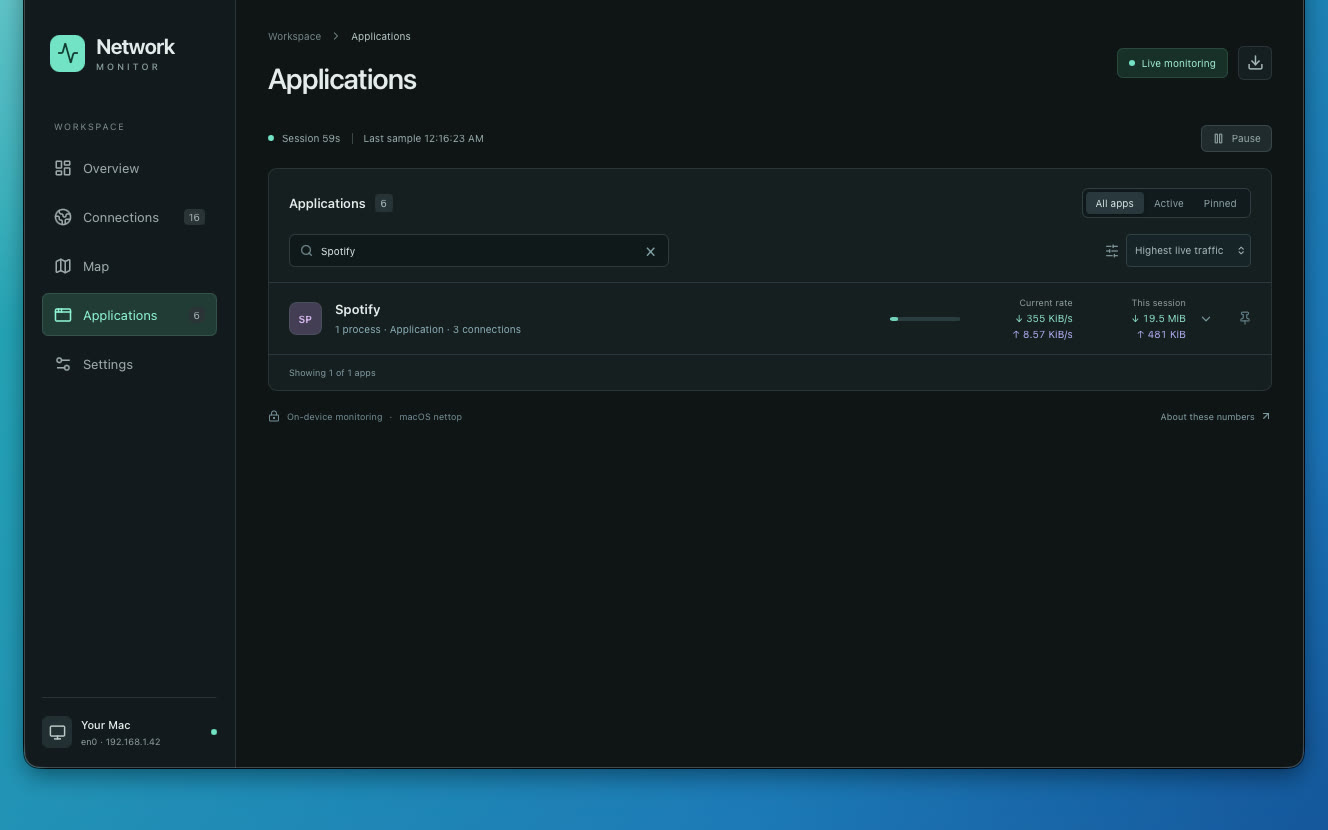
Bandwidth by app
Live download and upload rates plus session totals for every app, with helper processes grouped under the app they belong to.
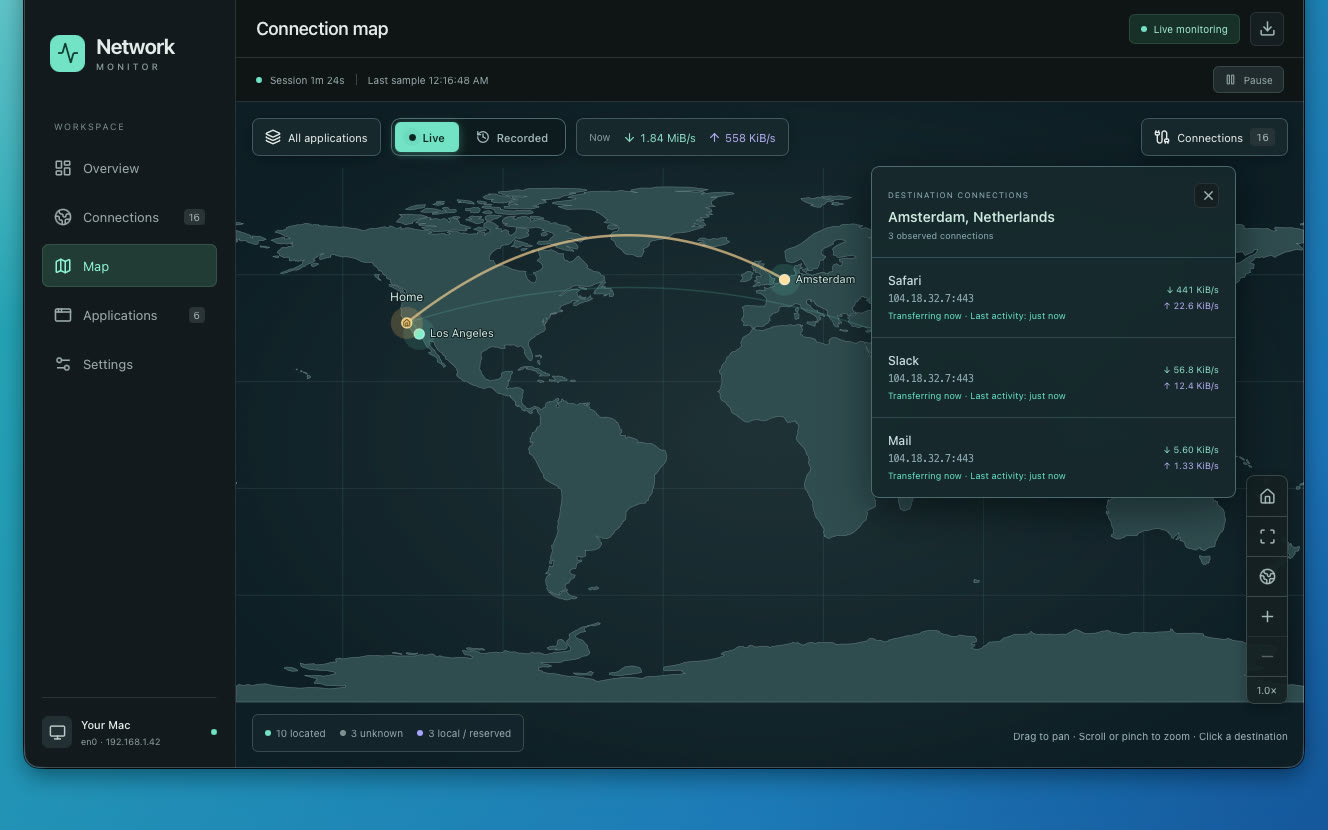
A map of your connections
Pan and zoom a full-window world map of destinations, centered on your home. Click a point to see the connections behind it.
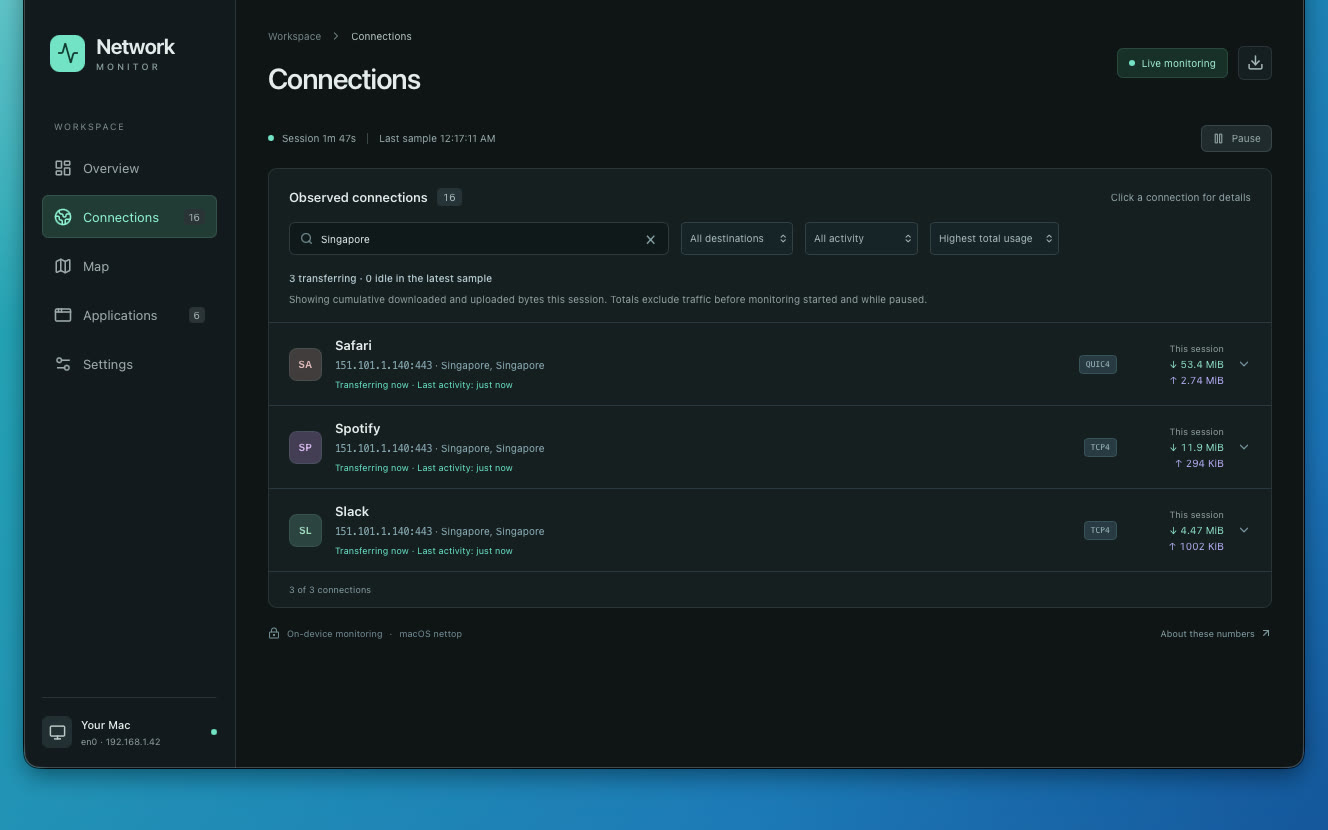
Every socket, explained
Inspect local and remote endpoints, ports, protocol, interface and state — with honest labels when something hasn’t been measured yet.
Search, sort and pin
Find apps by name, process ID or destination, rank them by current rate or total usage, and pin the ones you care about.
Pause and export
Pause collection without losing your totals, and export a CSV snapshot of current connections whenever you like.
Private by design
No telemetry, no remote map tiles, no packet contents. The world map is built in and locations are looked up on your Mac.
Requirements
- A Mac with Apple silicon (M1 or later)
- macOS 13 Ventura or later
- No kernel extensions or helper tools. Location access is asked for only if you choose Use Current Location.
- Locations are approximate: they show where an IP address is registered, which may be a CDN or VPN exit rather than the actual server.
Privacy
- No analytics, tracking or ads in the app.
- To place your home on the map, the app asks api64.ipify.org for your public IP address. Choose Use Current Location in Settings and it asks macOS where your Mac is instead, and never asks ipify.
- The IP location database is downloaded from smalldial.com and searched entirely on your Mac.
- License checks send only a hashed machine ID, your computer’s name and the app version.
IP geolocation by DB-IP, licensed under CC BY 4.0. Map data from Natural Earth.
Questions people ask about Network Map Monitor
How can I see which apps are using the internet on my Mac?
Network Map Monitor lists every app with its live download and upload rate and a total for the session, and shows where each one connects on a world map.
Is it a bandwidth monitor for Mac?
Yes: live rates and session totals per app, with helper processes grouped under the app they belong to. Sort by current rate or total usage.
Which app is using all my bandwidth right now?
Open Applications and choose Highest live traffic to see the busiest apps. Each row shows download and upload rates, with helper processes grouped under their app. Session totals show how much data has moved since you opened the monitor; they are not a monthly usage history.
Can it block an app from the internet?
No. It’s a network monitor, not a firewall: it shows traffic and never blocks connections.
Does it need a kernel extension or special permissions?
No. It reads the network accounting macOS already keeps, so there’s no kernel extension, no packet capture and no permission to grant.
Network Map Monitor · $7.99
One-time purchase. Use it on 2 Macs, with free updates forever. Full refund within 14 days, no questions asked.
Want everything? Get all six apps for $14.99 and save $11.96. Every app we add later is included too.
What’s new in 0.9.9 Updated October 21, 2026