
Menu bar app · $8.99, one-time
Live Subtitles
Understand any video, call or livestream with real-time translated subtitles. Entirely on your Mac.
Live Subtitles is a real-time audio translation tool for Mac. Follow a foreign-language video, meeting, lecture or livestream in the language you read: it listens to what any Mac app plays and shows translated subtitles over your screen. No meeting bot, uploaded audio or virtual audio device.
Translate English speech into Simplified or Traditional Chinese, German into French, or other supported language pairs. Translation works between non-English languages too. The catalogue offers 100 input languages and 163 output choices; compatible pairs depend on your speech and translation models. The Output picker lets you search the full range directly. Switch Models… shows compatible choices for your input and output languages.
Speech recognition and translation run on your Mac’s Apple silicon. Once your models are downloaded, translation works offline. Audio is never written to disk or uploaded, and the speech engine runs in a sandbox with no network access.
Features
What Live Subtitles does
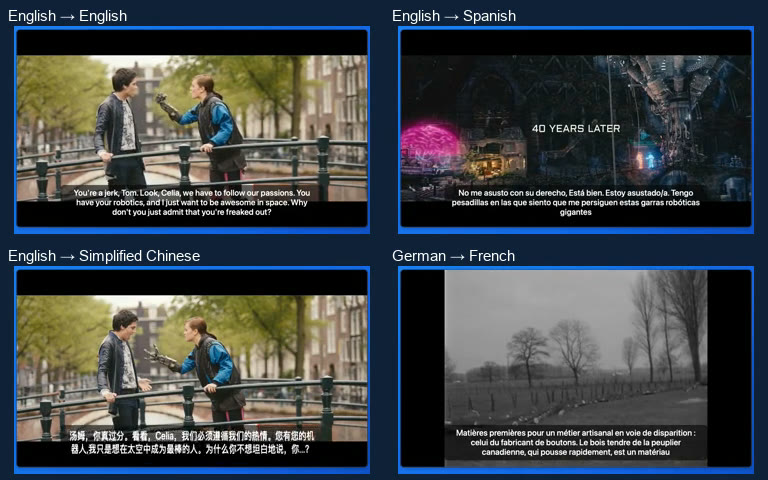
Real-time translation between languages
Read English audio in Chinese, German audio in French, and more supported pairs. Translation is not limited to English as the source or destination. Choose from 163 output options; the app shows compatible models for your language pair.
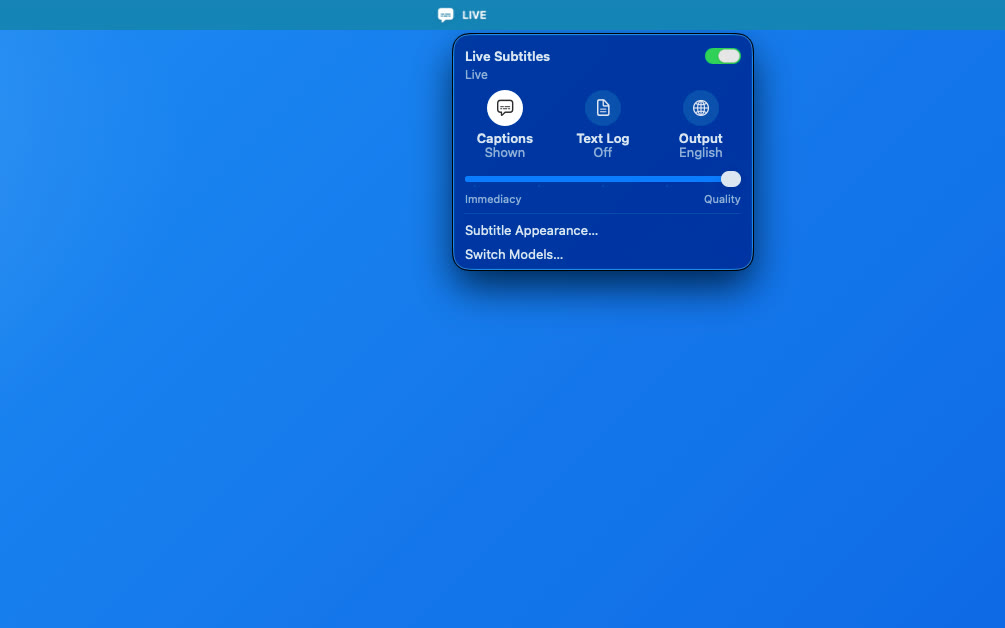
Captions for any app
Works with whatever is playing: browsers, video players, meeting apps. Your speakers and headphones keep working as usual — no virtual audio device to set up.
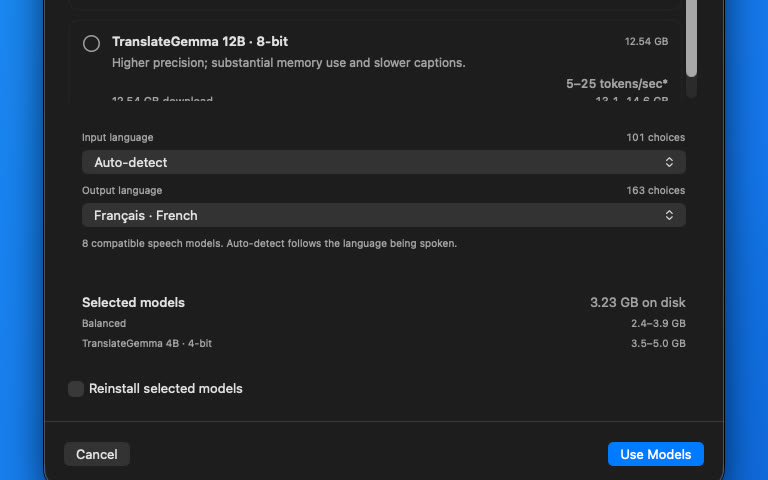
Translate between non-English languages
Follow a German documentary with French subtitles, for example. Choose the language you want to read; supported translations can use a non-English source and destination.
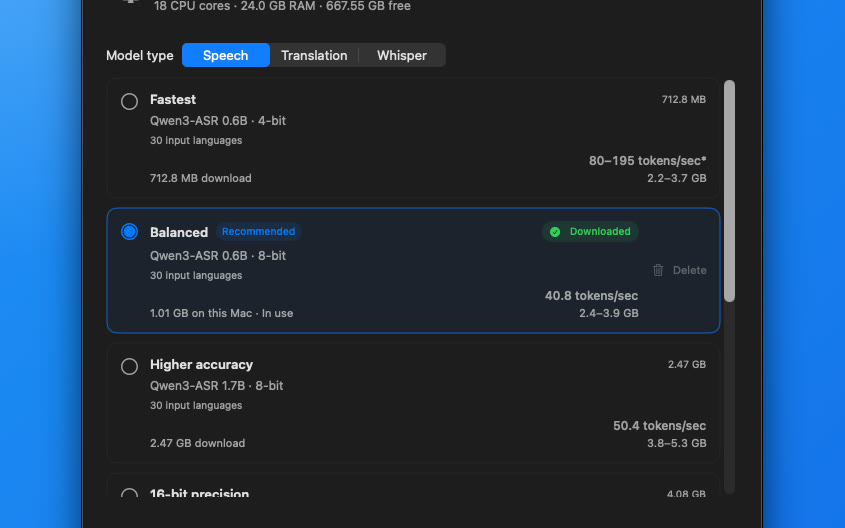
Choose your models
Don’t see your language? Try Switch Models… and choose your input and output. It shows compatible Qwen3-ASR, Whisper, Voxtral, Whistle and TranslateGemma models, with download sizes and memory use before you apply anything. Whistle needs macOS 26 or later.
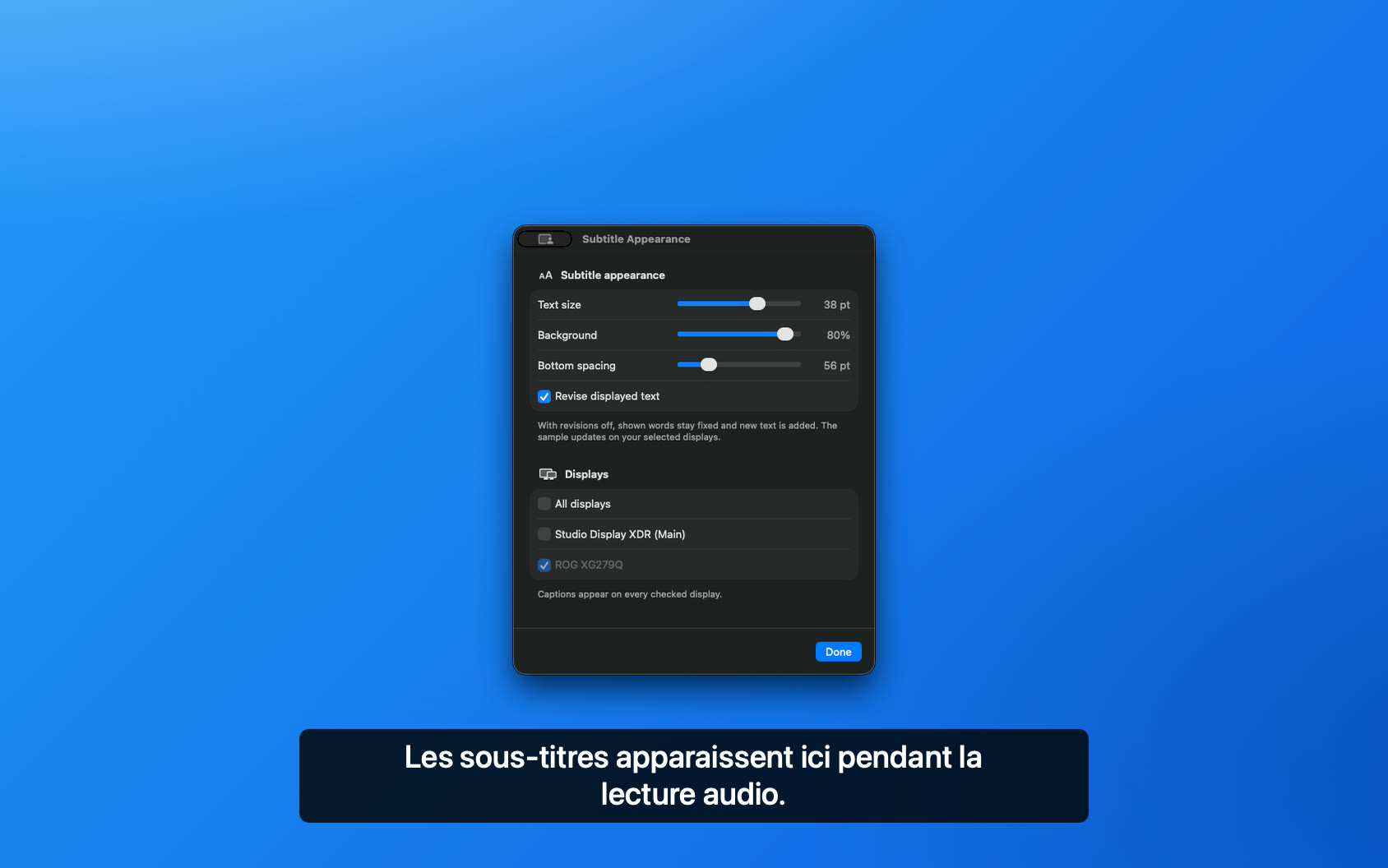
Subtitles your way
Choose displays, text size, opacity and position. Hide captions with ⌃⌘H or stop them with ⌃⌘S from any app.
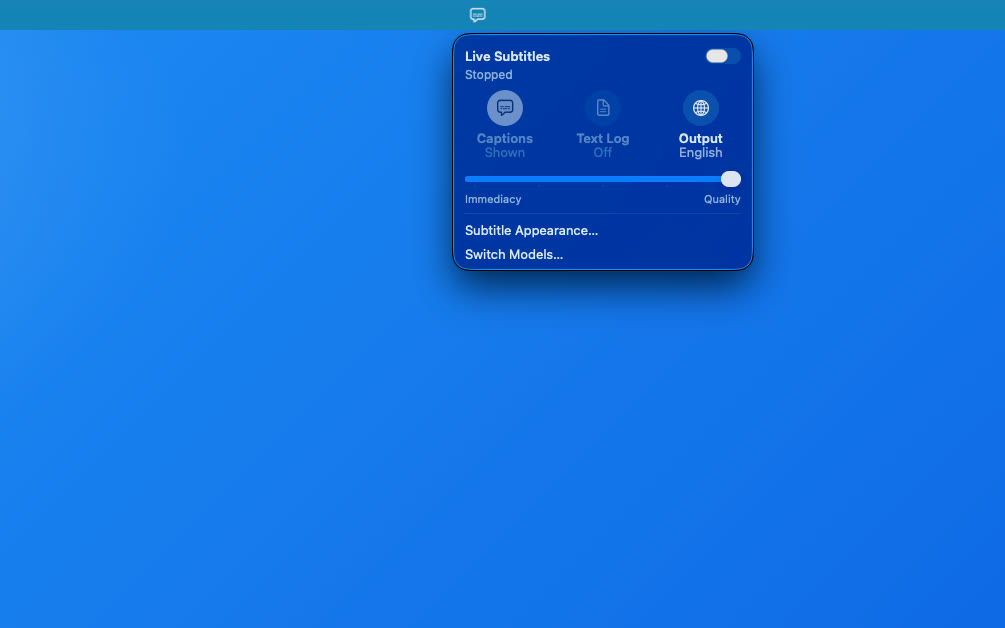
Stays out of your way
Lives in the menu bar. Turn on Launch at Login and it opens when you log in, always with captions stopped: they only run when you start them.
Optional transcript
Save captions with timestamps to a new plain-text transcript file — only when you ask, and only the caption text.
Requirements
- A Mac with Apple silicon (M1 or later)
- macOS 14.2 Sonoma or later
- Permission to capture system audio, which macOS asks for once (Screen & System Audio Recording).
- Models download separately when you choose them. Individual files range from 16.9 MB to over 12 GB; setup shows the total for your speech and translation choices. 16 GB of memory is recommended for the larger models.
Privacy
- No analytics, tracking or ads in the app.
- Audio and captions stay on your Mac. Nothing is uploaded.
- Models are downloaded from Hugging Face only when you choose Download & Use; that request shares your IP address with Hugging Face. Models come with their own licenses (Apache 2.0, MIT and the Gemma Terms of Use).
- License checks send only a hashed machine ID, your computer’s name and the app version.
Questions people ask about Live Subtitles
Can I translate live audio on my Mac into Chinese or other languages?
Yes. Choose the language you want to read from the Output tile, including Simplified and Traditional Chinese. Search the Output picker for available languages, including both Chinese scripts. Switch Models shows compatible models for your language pair. Once models are downloaded, supported translations run offline for whatever your Mac plays.
Can it translate between two non-English languages?
Yes. German speech can become French subtitles, for example. English is not required as the input or output. Available pairs depend on the selected speech and translation models; Switch Models shows compatible choices before you apply or download anything.
Can I translate YouTube or meeting audio into Chinese or Hindi subtitles?
Yes, with a compatible language pair. Live Subtitles listens to system audio from your browser or meeting app. Choose Simplified Chinese, Traditional Chinese or Hindi in Output, then use Switch Models if your current model does not support the pair. After the models download, translation runs locally; an online video or call still needs its own internet connection.
How do I get live captions for any audio on my Mac?
Start Live Subtitles from the menu bar. It transcribes whatever your Mac plays — browsers, video players, meeting apps — and shows subtitles in an overlay.
Can it transcribe a Zoom, Teams or Meet call?
Yes. It captions the call’s audio as your Mac plays it, and nothing joins the meeting.
Does live transcription work offline?
Yes. Speech recognition and translation run on your Mac’s Apple silicon, and audio never leaves your Mac. Models download once, when you choose them.
Can I save a transcript?
Yes, if you want one: captions with timestamps go to a plain-text file, and only the caption text is saved.
Which speech models does it use?
Choose Qwen3-ASR, Whisper, Voxtral, or Whistle (macOS 26 or later) for speech. TranslateGemma handles translation where needed. Setup recommends a compatible selection for your Mac and language pair.
Live Subtitles · $8.99
One-time purchase. Use it on 2 Macs, with free updates forever. Full refund within 14 days, no questions asked.
Want everything? Get all six apps for $14.99 and save $11.96. Every app we add later is included too.
What’s new in 0.9.10 Updated October 22, 2026