How-to guide · 1:46
How to use Live Subtitles
Translate live audio on your Mac into Spanish, Chinese or other languages, including German to French. Choose output languages and models, then customize your offline subtitles. Demonstrated with two openly licensed films.
Step by step
Using Live Subtitles
-
Open the card
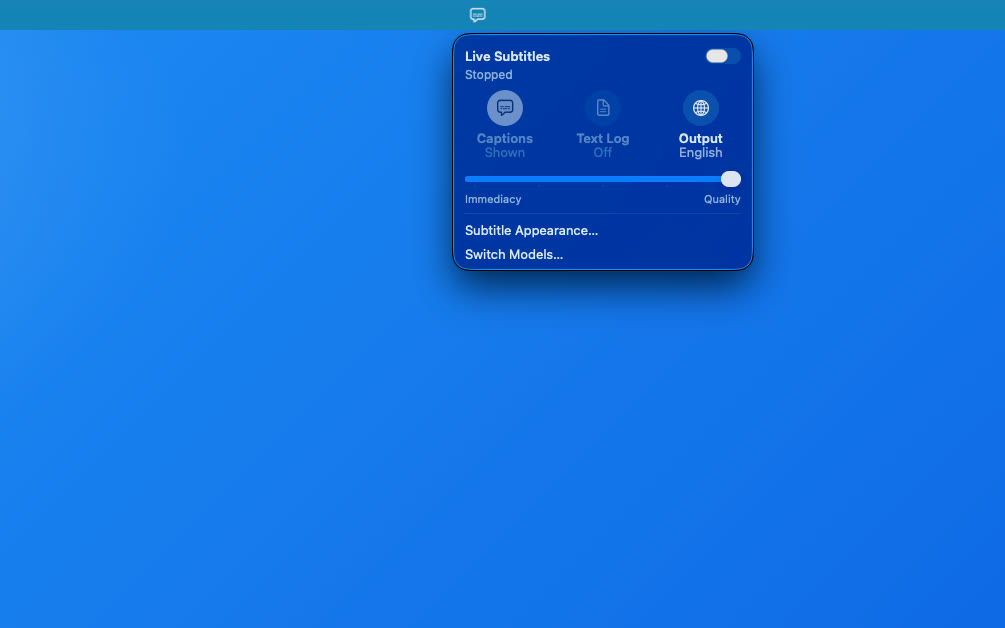
Live Subtitles translates anything your Mac plays into live subtitles, entirely on your Mac. Click its icon in the menu bar to open its card.
-
Start captions
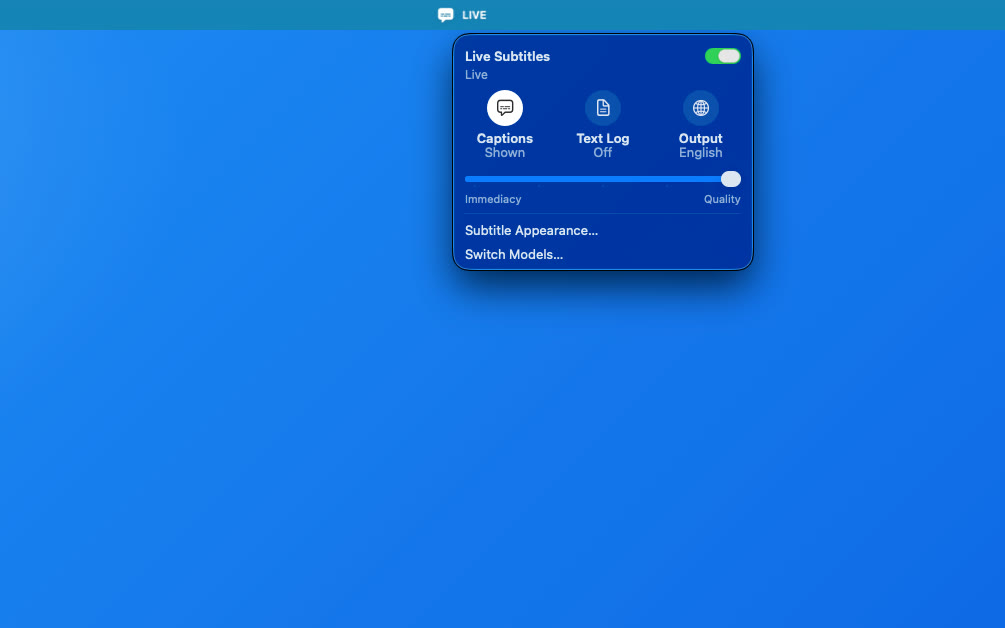
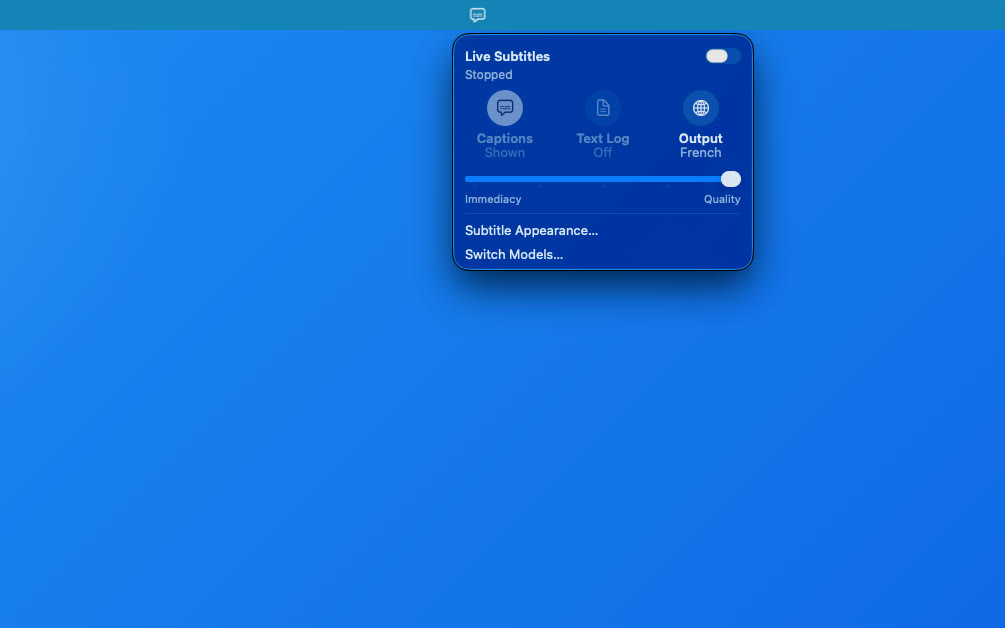
Turn on the switch, or press Control Command S anywhere. It's yellow while the models load.
-
Captions are live
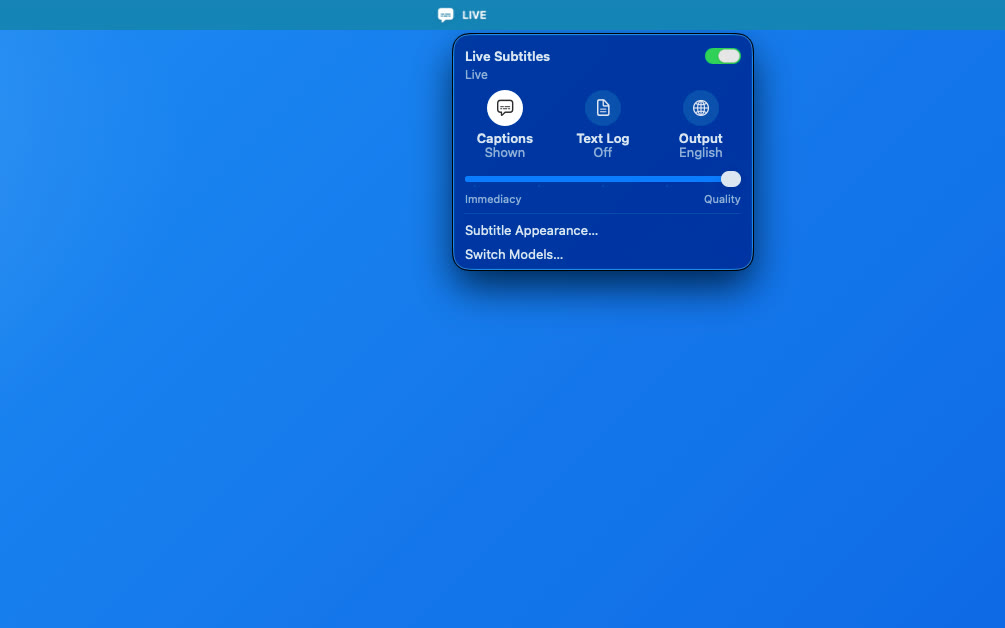
When it turns green, captions are live.
-
See what translation makes possible
Here is what is possible: English audio with English, Spanish, or Simplified Chinese subtitles, and German audio translated into French. Translation works between non-English languages too. These are separate recorded examples, shown together. Audio and translation stay on your Mac.

-
Hide captions, keep a log
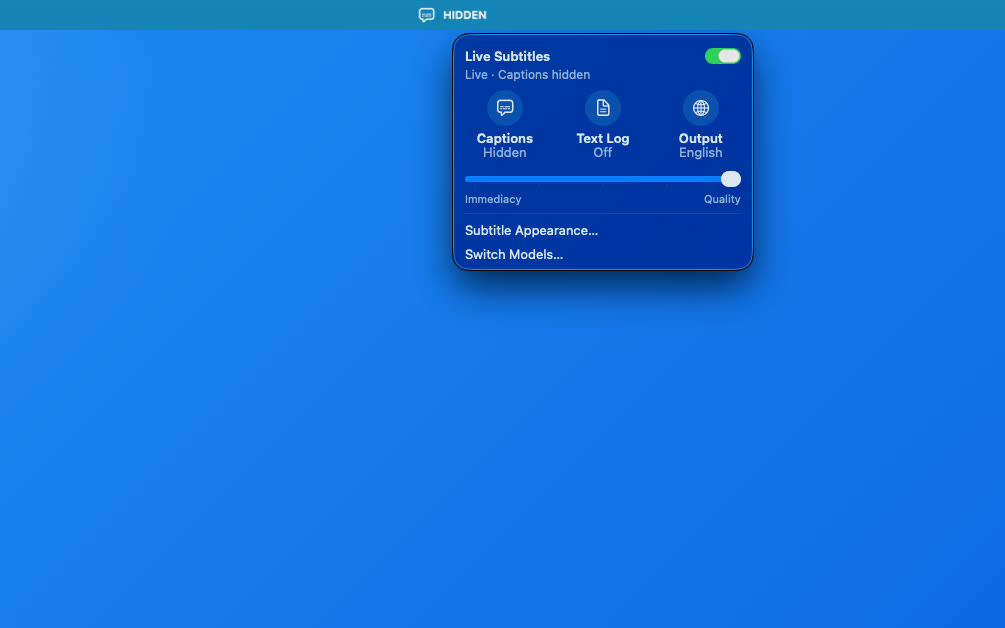
The Captions tile hides them while Live Subtitles keeps listening. Click it again to bring them back. Text Log saves them to a text file.
-
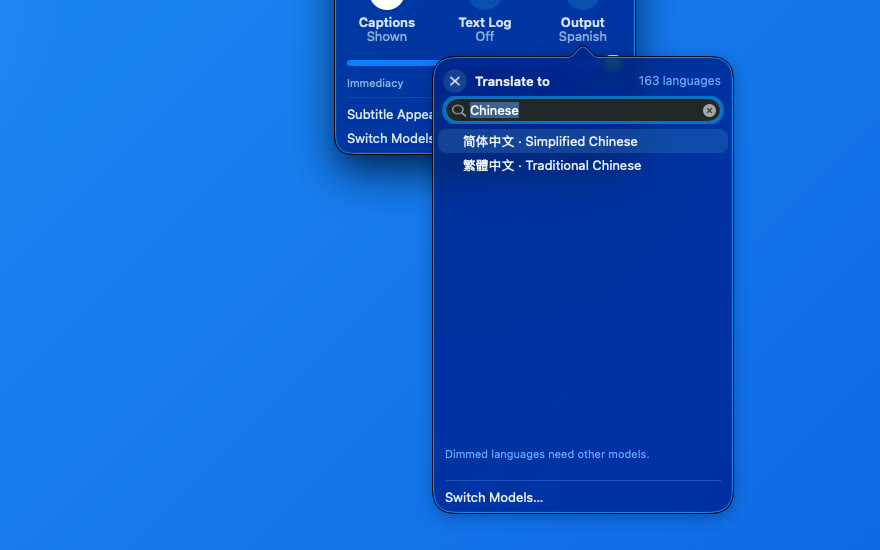
Choose Chinese output
Search every available output language here. Search for Chinese to see both scripts, then choose Simplified Chinese.
-
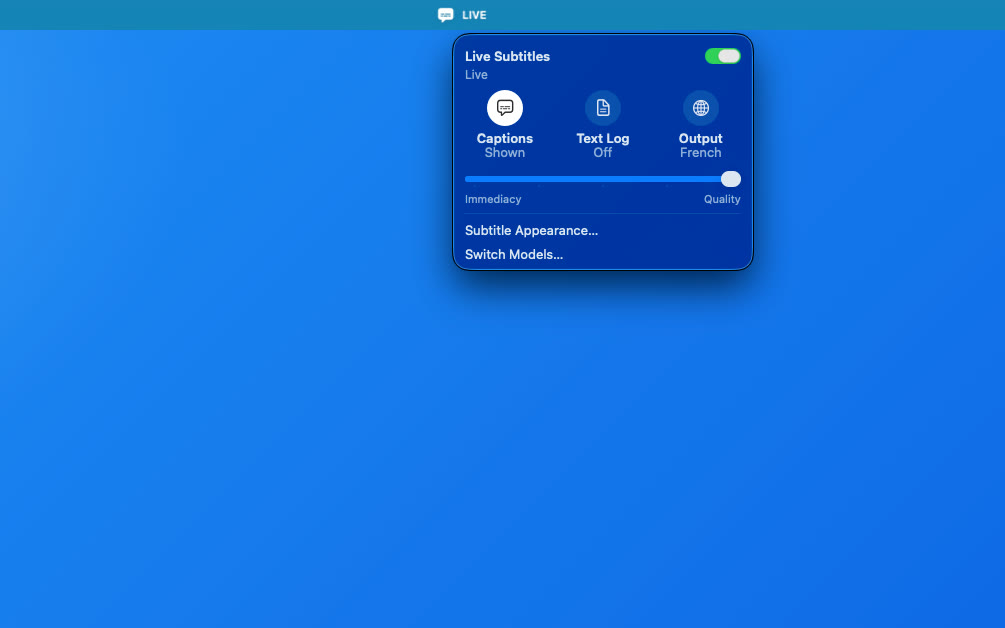
Sooner or more accurate
The slider sets the timing. Toward Immediacy, words appear sooner. Toward Quality, captions wait for whole phrases and read more accurately.
-
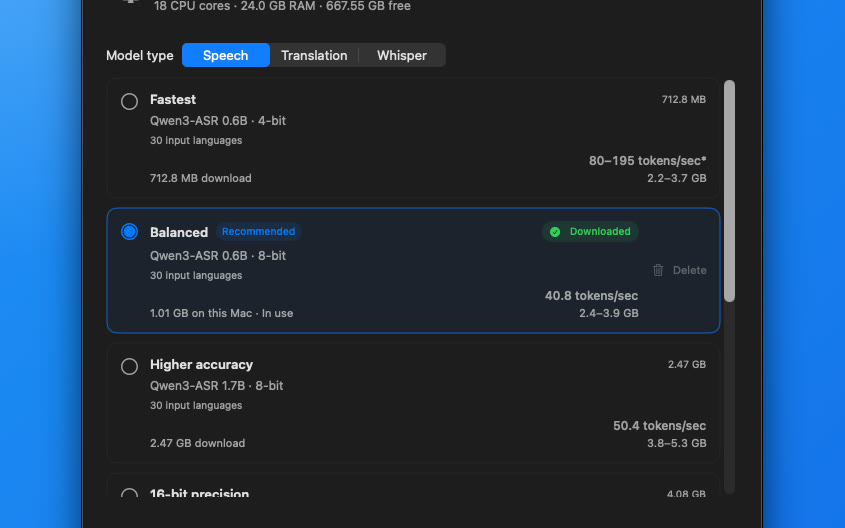
Choose models
Switch Models… chooses the speech and translation models, with their sizes and memory use. Nothing downloads until you say so.
-
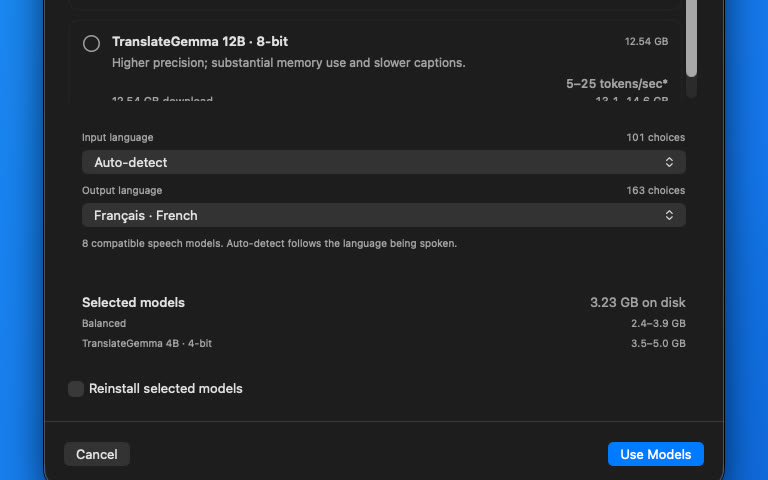
Find compatible languages
Don't see your language? Try switching models. Choose your input and output languages here to see compatible options.
-
Subtitle appearance
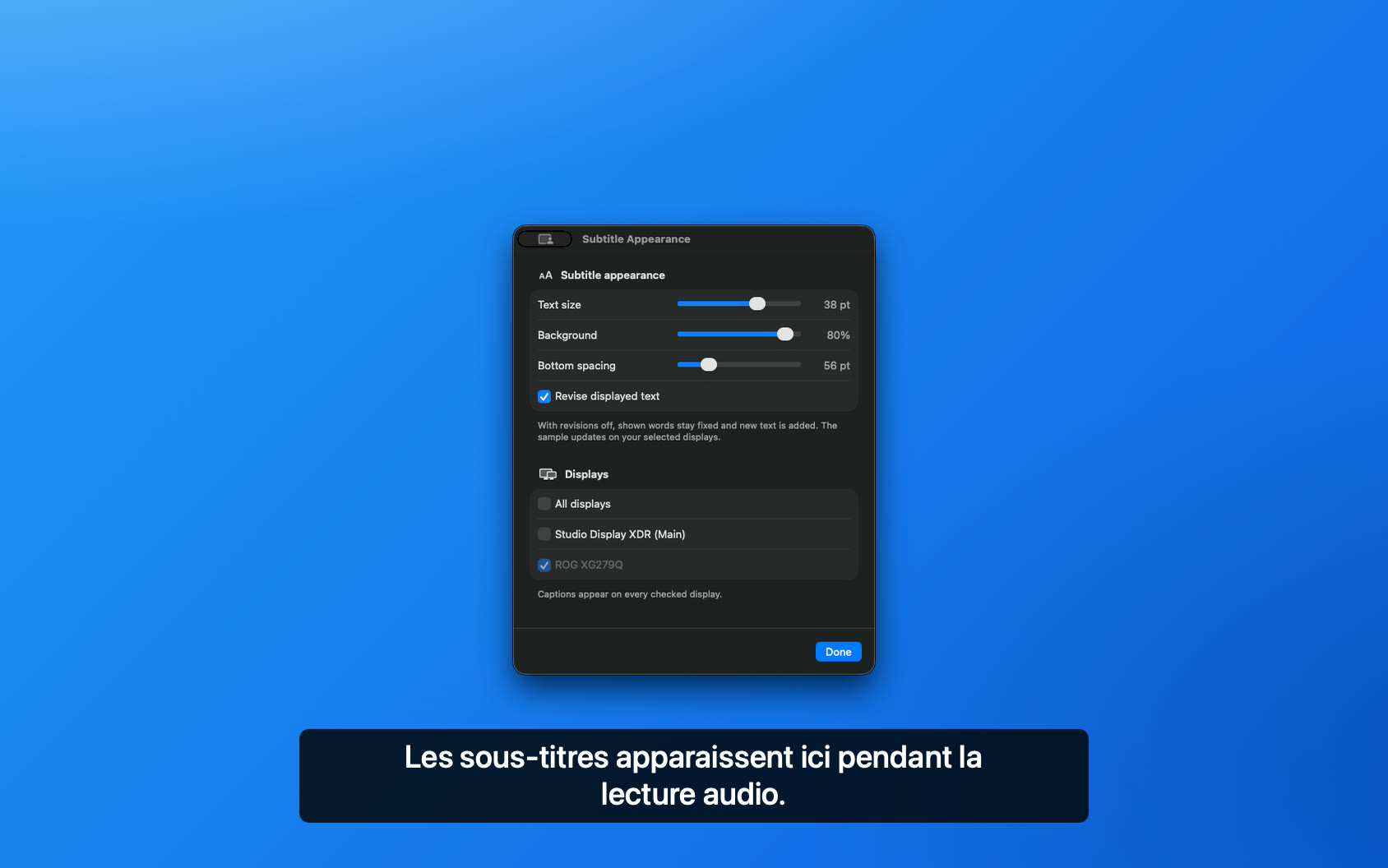
Subtitle Appearance… sets the text size and the background, with a sample on your screen.
-
Displays, license and more
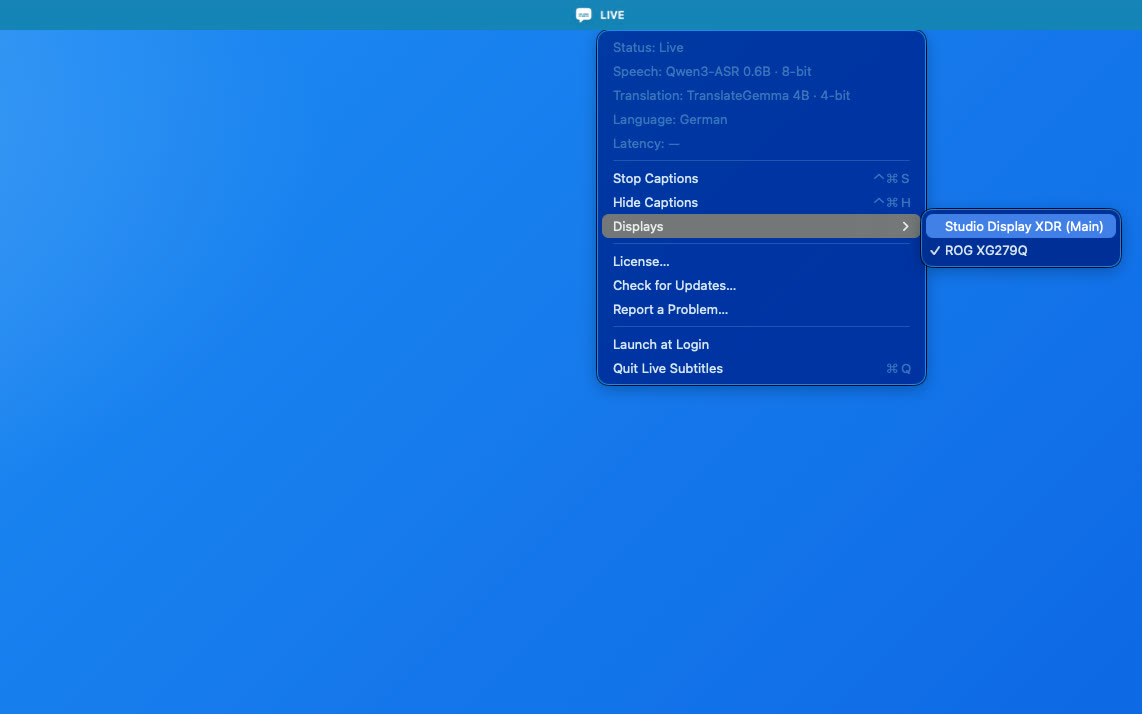
Right-click the icon for the models in use and more. Displays picks the screens that show captions, and your license, updates, Report a Problem… and Launch at Login are here too.
-
Stop captions
When you're done, turn off the switch.
Live Subtitles · $8.99
Translate live audio into subtitles in your language, in any Mac app — offline. Try it free for 7 days.
More about Live SubtitlesHow to translate live audio on a MacHow to transcribe system audio on a MacHow to turn on Live Captions on a MacHow to caption Zoom, Teams and Meet calls on a MacAll how-to guides