Set Caps Lock to Escape in System Settings
Modifier Keys lets you change what Caps Lock, Control, Option and Command do. Each has a pop-up menu, and Escape is one of the choices, along with the other modifiers and No Action.
- Choose Apple menu → System Settings, then click Keyboard in the sidebar. You may need to scroll down.
- Click Keyboard Shortcuts, then click Modifier Keys.
- If more than one keyboard is connected, choose the one to change from the Select keyboard menu.
- Click the pop-up menu next to Caps Lock, choose Escape, then click Done.
What the built-in setting doesn’t cover
The setting belongs to one keyboard, so another keyboard keeps its own Caps Lock until you change it there too. To undo everything, open Modifier Keys again and click Restore Defaults.
It also only works for modifier keys, and only turns them into another modifier, Escape or nothing. Caps Lock can’t become a shortcut such as ⌃⌥Space, Return can’t become Delete, and no key can open an app.
With Key Remappings
If Caps Lock to Escape is all you want, the built-in setting is enough. Key Remappings is worth it when you want more: any key turned into another key or a shortcut, shortcuts that open apps, and every mapping in one list you can pause or delete.
- Open Key Remappings and choose Allow Accessibility…. Enable it in System Settings → Privacy & Security → Accessibility, then return to the app. It checks automatically.
- Click Caps Lock on the on-screen keyboard.
- Click esc, the key Caps Lock should become.
- Click Add Mapping. Caps Lock → Escape appears in your list of mappings and works in every app.
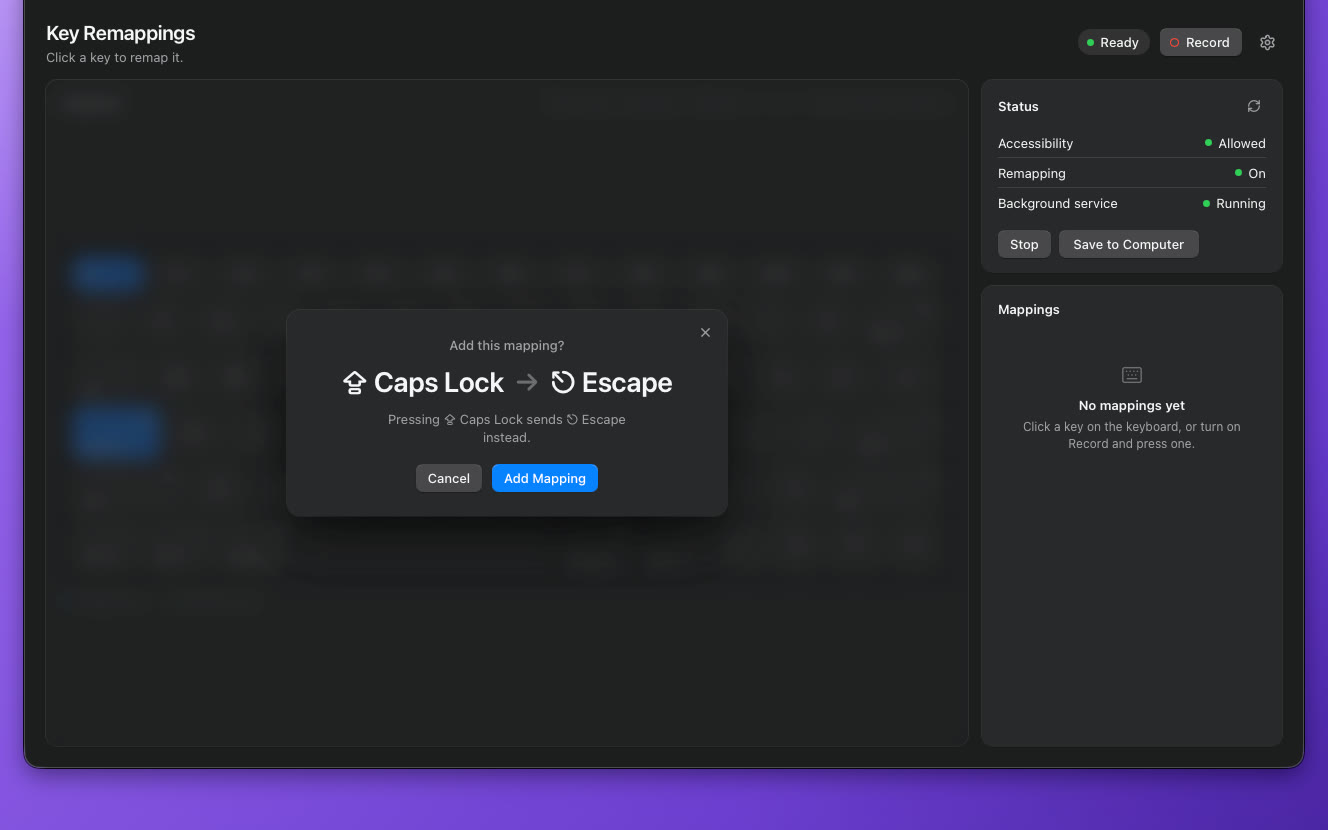
Watch this step in the Key Remappings guide 0:00
Which to choose
Choose Modifier Keys if you only want Caps Lock to be Escape on the keyboard in front of you. Choose Key Remappings if you want the same mapping on the built-in keyboard and external ones without setting each, or other keys and shortcuts alongside it. Its mappings work while the app is open; click Save to Computer and wait for the saving confirmation to keep them working after you quit and every time you log in.